Because HDO Box is not available in the Amazon Appstore, it must be sideloaded manually. This is normal for many Firestick movie apps and is completely safe when done correctly.
Why HDO Box Works So Well on Firestick
Many users choose HDO Box Amazon Firestick because of the following advantages:
- One-click streaming with no link selection
- Smooth playback on Firestick and Fire TV devices
- Lightweight APK that runs well even on older Firestick models
- HD and 4K streaming support depending on source and internet speed
- Multi-language subtitle options
- No account, sign-up, or subscription required
Compared to other free movie apps for Firestick, HDO Box offers a cleaner interface and faster playback.
How to Install HDO Box on Firestick
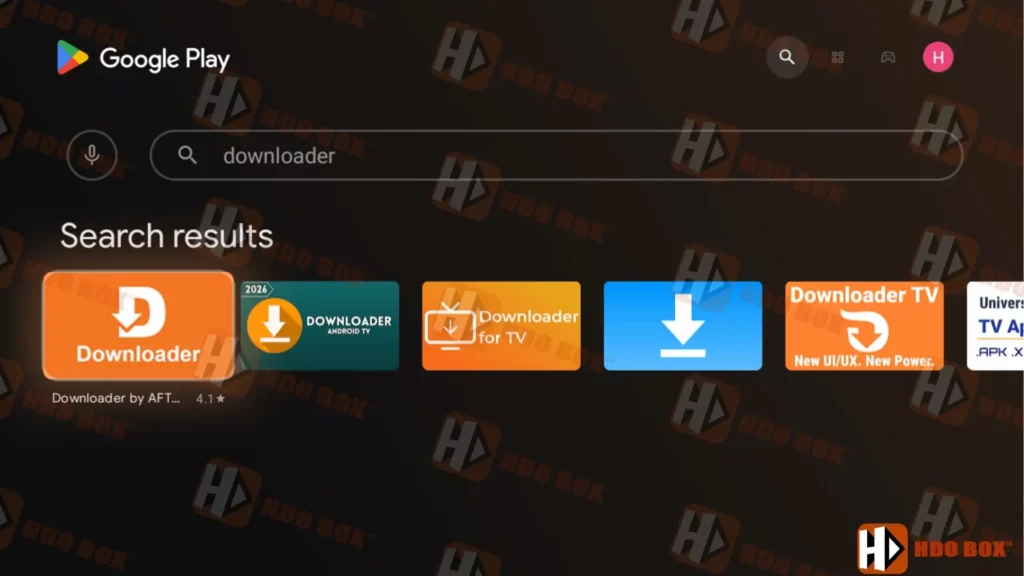
In this guide, the installation is demonstrated on a Google TV device. However, the same method works smoothly on all Android-based Amazon Fire TV devices, including Firestick, Fire TV Cube, Android TV boxes, and Smart TVs running Android or Google TV.
1. Install Downloader and prepare the device
First, open the Amazon Appstore on your Firestick and search for the Downloader app. Install it as you would any normal application.
- App Downloader by AFTVnews on the Amazon App Store: Click
- Alternatively, you can also enter: www.hdoboxse.com/downloader into your browser to manually download the installation file.
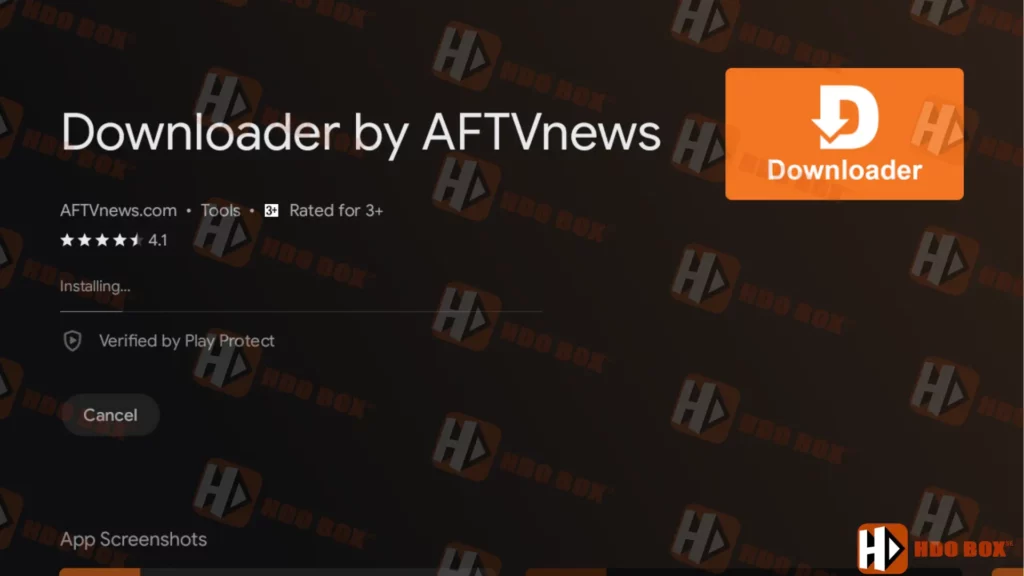
Install Downloader and prepare the device.
After installation, go to your Firestick Settings, open Developer Options, and allow Downloader to install apps from unknown sources. This step is required for sideloading third-party apps.
2. Open Downloader and enter the download address
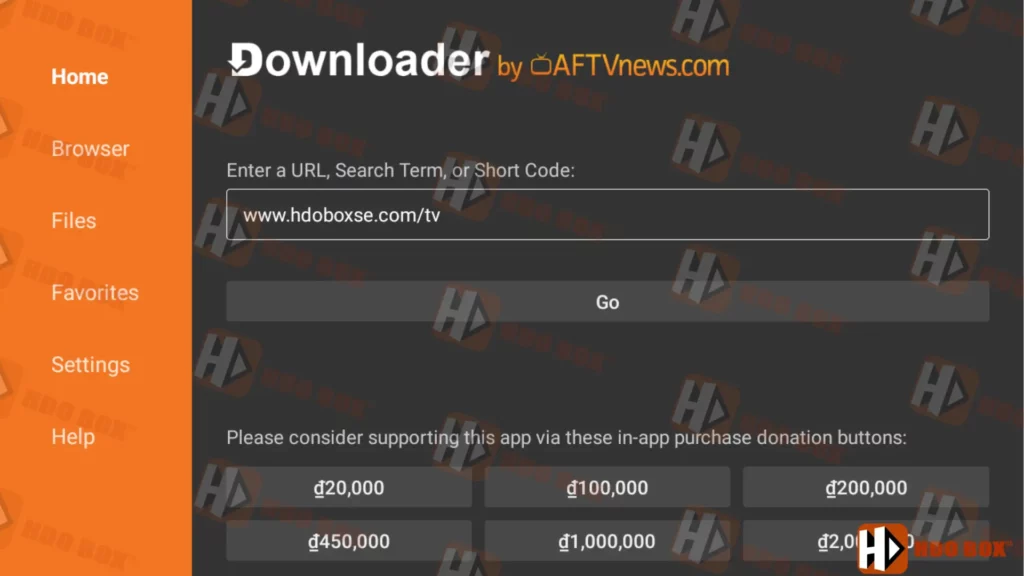
Launch the Downloader app. On the home screen, select the input field where you can type a web address or code. This is where Downloader retrieves installation files directly to your device.
3. Start downloading the HDO Box installation file
Enter the official address or the Firestick downloader code provided by HDOBoxSE.
- HDO Box for Fire TV: www.hdoboxse.com/tv or code for Downloader app: 5108510
- Drama Player: www.hdoboxse.com/drama-player or code for Downloader app: 1487095
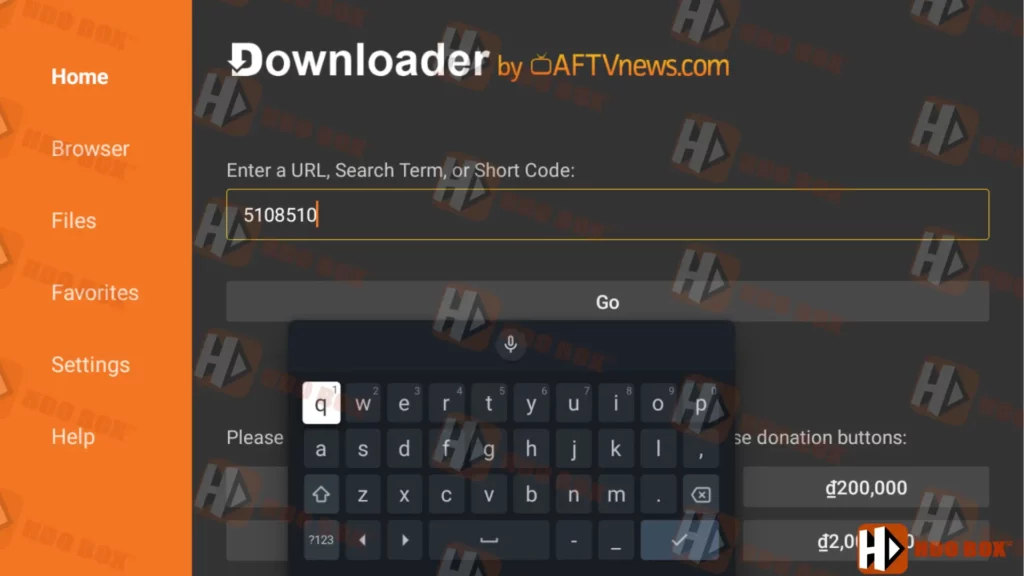
Using a code is optional, but many users prefer it because it is faster and easier than typing a full URL.
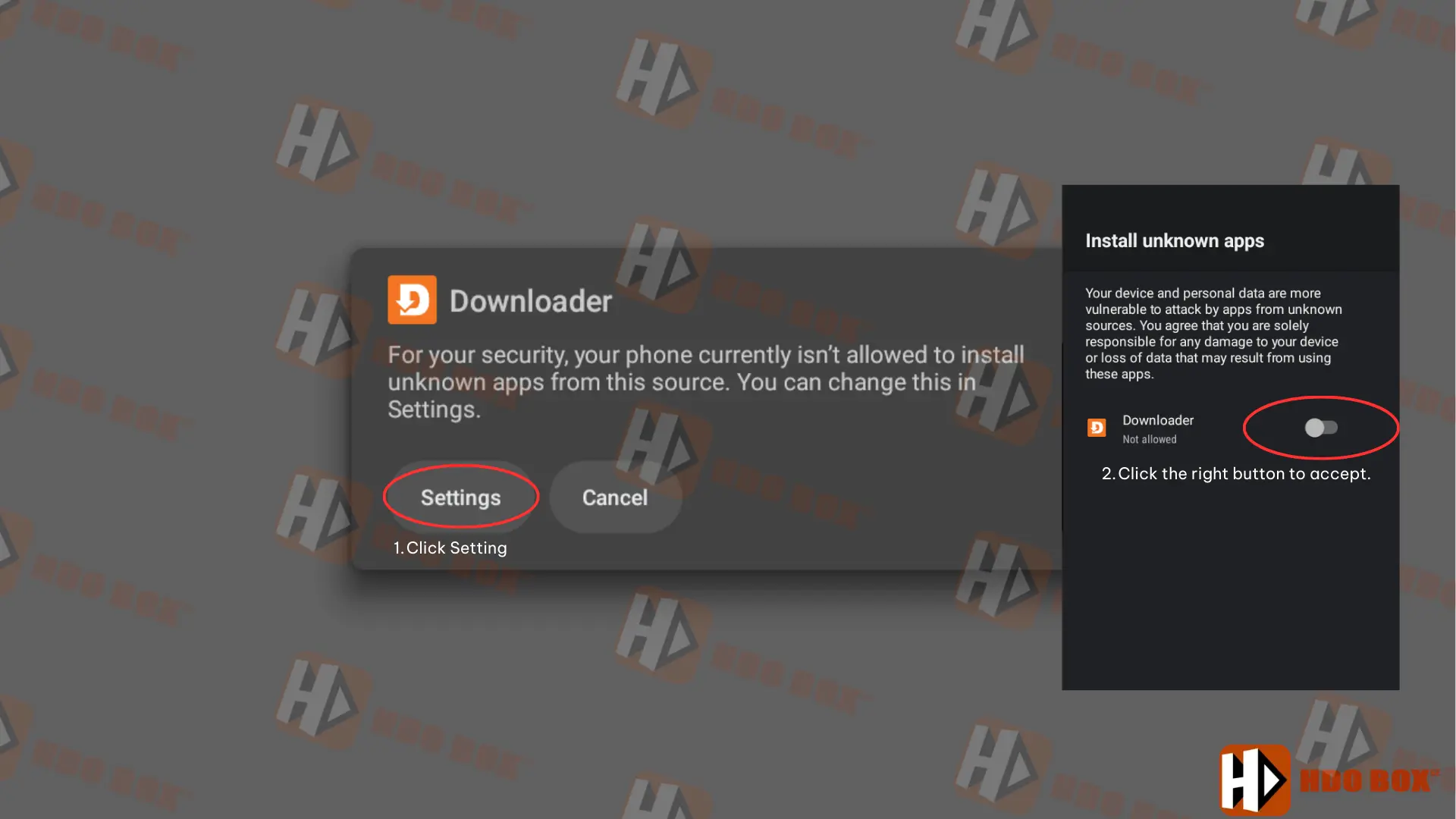
If a permission warning appears, choose Settings and enable permission for Downloader, then return to continue.
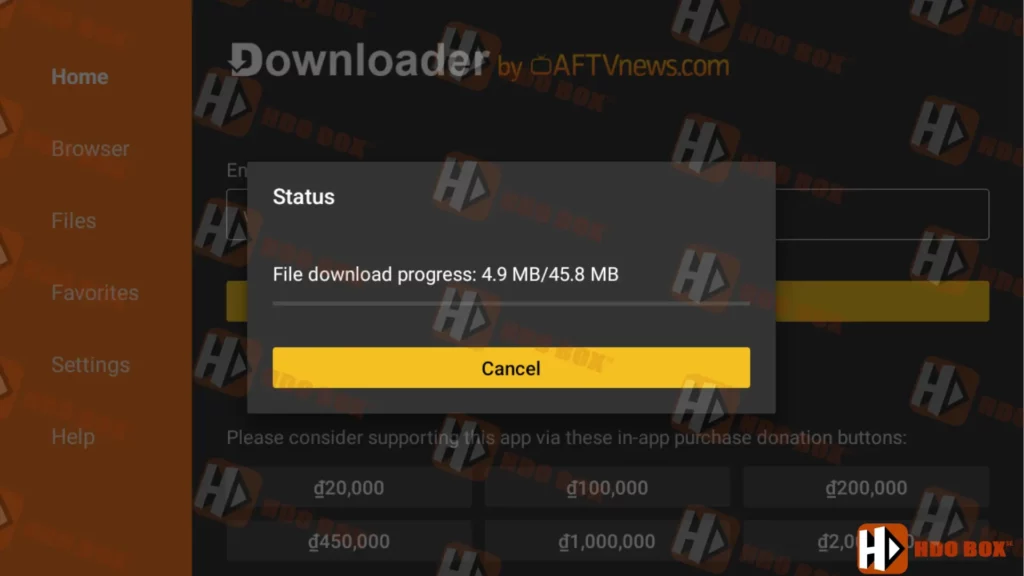
4. Wait for the file to finish downloading
After confirming, Downloader will begin fetching the HDO Box installation package. Wait until the progress bar reaches 100 percent. This usually takes only a few moments depending on your internet speed.
5. Install the app on Firestick
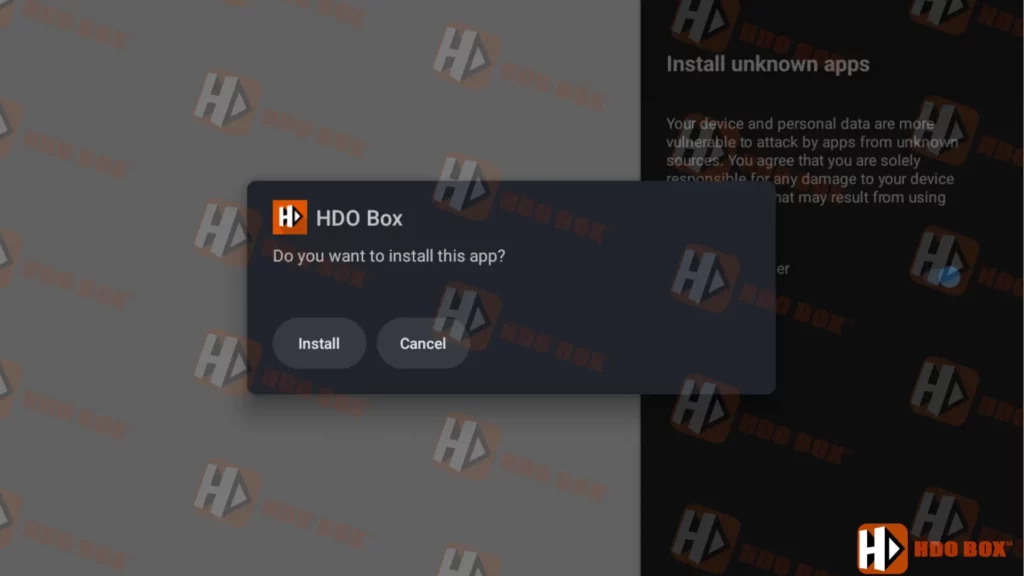
Once the download is complete, the installation screen will appear automatically. Select Install and allow the process to finish.
6. Open HDO Box from Apps and Channels
After installation, return to the Firestick home screen. Open Your Apps & Channels to find the newly installed app. Since it was installed most recently, it may appear at the end of the list. Scroll to See All if needed,
Device Compatibility
HDO Box for Fire TV is compatible with:
- Amazon Firestick
- Fire TV and Fire TV Cube
- Android TV and Google TV
- Android TV boxes
- Android phones and tablets
| App Name | HDO Box for Fire TV |
|---|---|
| Size | 46,8 MB |
| Latest Release | January 2026 |
| Category | Entertainment |
| Price | Free |
| Latest Version | v2.1.4 |
| Downloads | 1,001,210 |
Key Features of HDO Box for Firestick
Large and frequently updated movie and TV show library
One-click auto play for faster streaming
HD and 4K quality sources
Multi-language subtitle support
Lightweight app size for smooth performance
No registration or payment required
Works well with Firestick remote control
These features make HDO Box Firestick 2026 one of the best free movie apps for Firestick users.
Final Thoughts
HDO Box for Firestick remains one of the most reliable and easy-to-use streaming apps for Fire TV devices. With its one-click playback, fast loading speed, and clean interface, it continues to outperform many other free movie apps for Firestick.