Learn how to install Onstream APK on Android TV and Firestick in 2026. Step-by-step guide, features, safety notes, and legal information.
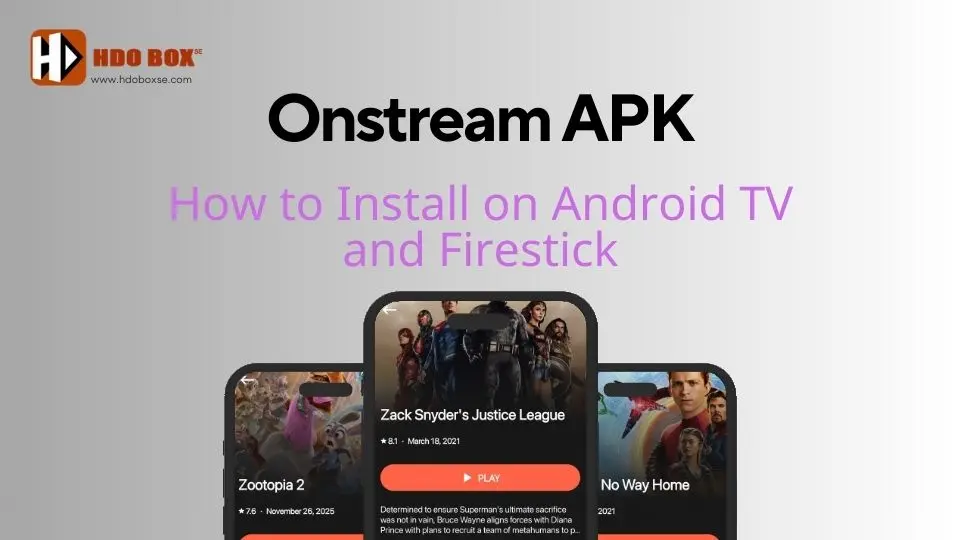
Onstream APK is a popular free streaming application that lets users watch movies and TV shows without a subscription. In 2026, Onstream continues to attract attention thanks to its simple design, fast auto-play feature, and smooth HD streaming on Android TV and Firestick devices.
This guide explains how to install Onstream APK on Android TV and Firestick, what the app offers, and what users should know before using it.
Onstream APK is a video-on-demand streaming app designed for Android-based platforms. It provides access to a large library of movies and TV series through external streaming sources.
One key feature that makes Onstream different from many other free apps is its auto-play system. After selecting a title, playback starts automatically without requiring users to choose links manually.
Optional sign-in is available, allowing users to save favorites and resume playback across devices.
Supported Devices
Onstream APK works on a wide range of devices, including:
Amazon Firestick and Fire TV
Android TV and Google TV
Android TV boxes
Android phones and tablets
PC and laptop (via Android emulator)
This article focuses on Android TV and Firestick, which are the most common platforms for Onstream.
How to Install Onstream APK on Android TV and Firestick
In this guide, we will be using Google Android TV. However, this guide is also applicable to other Amazon Fire TV/Chromecast TV/Android TV boxes such as onn 4k Pro, Google TV Streamer, and many others.
The installation process is similar on both platforms. Before starting, make sure the Downloader app is installed and allowed to install unknown apps.
Step 1: Prepare Your Device
Open your device settings and enable “Install unknown apps” for Downloader.
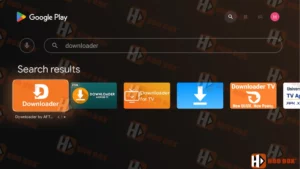
If Downloader is not installed yet, install it first from the Amazon Appstore or Google Play Store.
Prepare Your Device
Step 2: Open Downloader
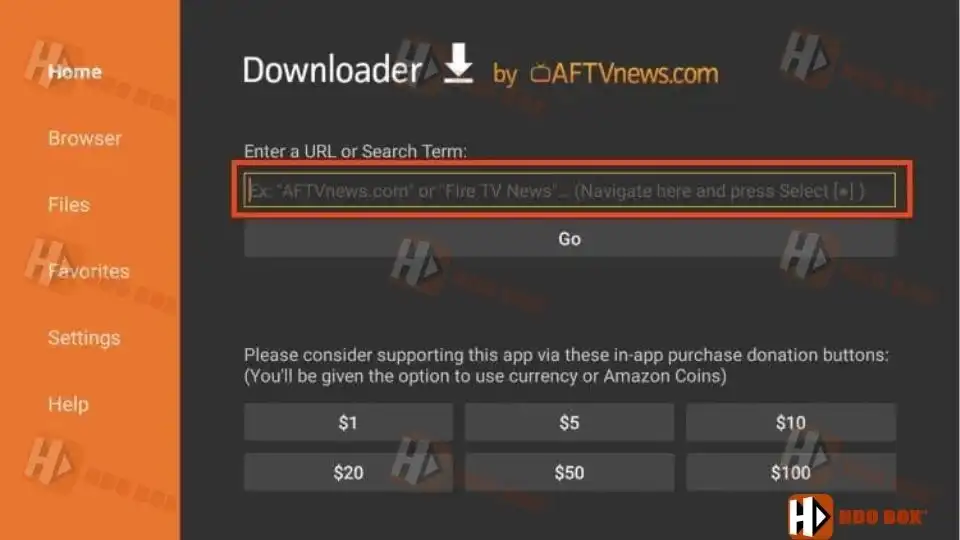
Launch the Downloader app from your apps list.
Select the URL or search input field.
Open Downloader
Step 3: Download Onstream APK
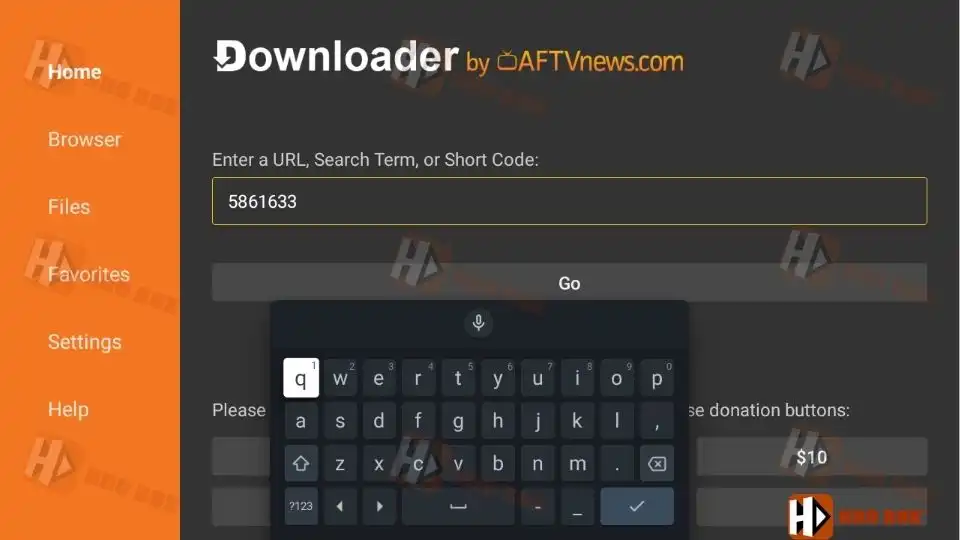
Type website address: www.hdoboxse.com/onstreamtv and click Go
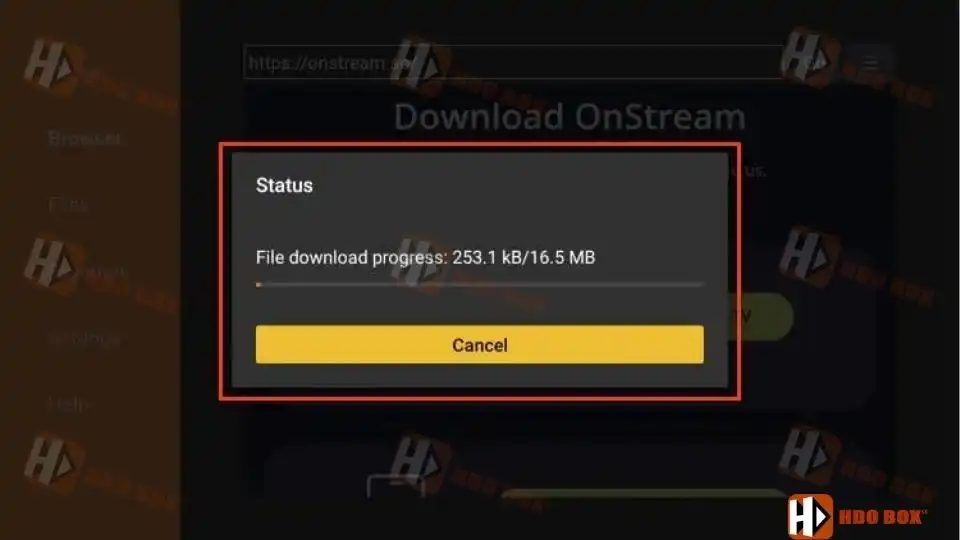
Press Go and wait for the APK file to download.
NOTE: You can also use Download Code – 5861633 to quickly download OnStream TV without entering the website address.
Download Onstream APK
Step 4: Install the App
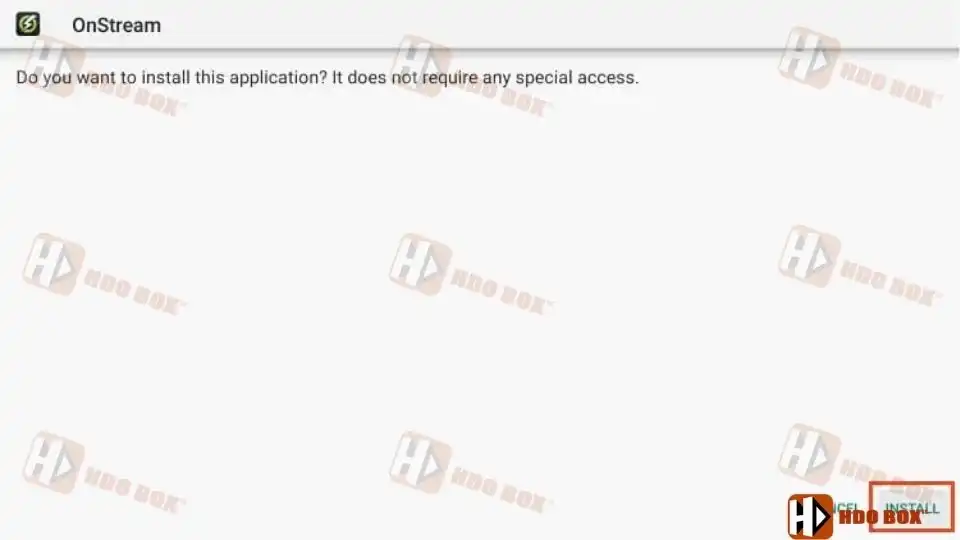
Once the download finishes, select Install.
Wait for the installation process to complete.
After installation, choose Done or Open.
Step 5: Launch Onstream
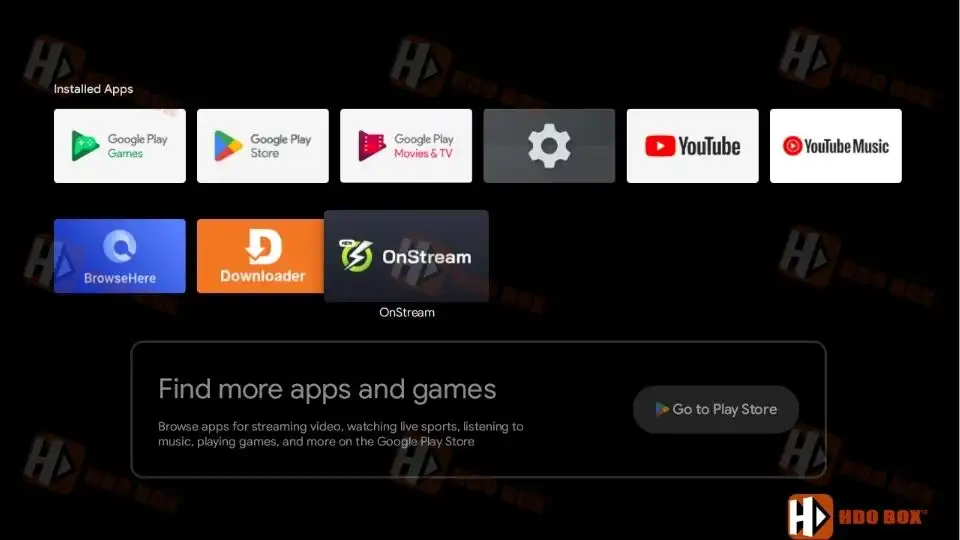
Go to your Apps Library and open Onstream.
You can now browse movies and TV shows and start streaming.
Installation is now complete.
Launch Onstream
Installing Onstream on Android Phones and Tablets
On Android phones and tablets, the process is simpler and does not require Downloader.
Open your web browser
Visit the www.hdoboxse.com/onstreamtv website
Download the Android version
Allow installation from unknown sources
Install and open the app
Key Features of Onstream APK
Onstream focuses on simplicity and fast playback. Main features include:
Auto-play streaming without manual link selection
Large library of movies and TV series
HD quality streams with minimal buffering
Optional account login to save favorites
Subtitle support with multiple languages
Clean and easy-to-navigate interface
Onstream does not offer live TV channels. It is a VOD-only application.
Common Issues to Be Aware Of
While Onstream is popular, users should note:
Many fake websites distribute malicious versions
Temporary server downtime can affect playback
No debrid or advanced integrations
Privacy risks if downloaded from untrusted sources
Always verify the source before installing.
Is Onstream APK Legal
The legality of Onstream APK depends on local copyright laws and the content accessed. Because it is an unverified app, proper licensing cannot be confirmed.
Users are responsible for ensuring they only access content they are legally allowed to view.
Final Thoughts
Onstream APK is a simple and effective streaming app for Android TV and Firestick users in 2026. With auto-play streaming, a clean interface, and no subscription requirements, it remains a popular choice for watching movies and TV shows.
However, because it is an unverified app, users should understand the potential legal and privacy considerations before installing it.
If used responsibly and installed from trusted sources, Onstream can provide a smooth and convenient streaming experience.
Does Onstream APK work on Android TV and Firestick?
Yes, Onstream APK works on Android TV, Google TV, Firestick, and Fire TV devices using the same sideloading method.
Is Onstream APK free to use?
Yes, Onstream APK is completely free. No subscription, payment, or debrid service is required.
Does Onstream APK have live TV
No, Onstream APK is a video-on-demand app only. It does not provide live TV channels.
Why are there fake Onstream websites
Due to the app’s popularity, many unofficial sites distribute modified or malicious versions. Always verify the source before downloading.
Is Onstream APK legal
Onstream APK is an unverified app. Its legality depends on local copyright laws and the content accessed. Users are responsible for ensuring legal compliance.
RsoGrade
I’m RsoGrade, the creator of HDO Box. I started this project with one simple goal: to build a streaming app that I would actually love to use myself—something fast, beautiful, and easy for everyone.