If you are new to sideloading apps, this guide will show you exactly how to download Downloader, how to install Downloader, and how to use it correctly.
What Is Downloader?
Downloader is a simple utility app that allows users to:
- Download files directly from the internet.
- Install APK files on Android-based devices.
- Access websites using a built-in browser.
It is widely used for installing apps like HDO Box, especially on devices that do not allow direct APK installation from a web browser.
How to Install Downloader on Fire TV or Firestick.
The following guide will help you install the Downloader app in the simplest way. The device I’m using in this guide is the Google TV Chromecast 4K, Android 12 Snow Cone, but you can follow similar steps for other TV devices.
Follow these steps to install Downloader on Fire TV and other Android TV devices.
Step 1: Open the Amazon Appstore or Google Play Store.
From your device’s home screen, open your device’s app store:
- On your Fire TV, open the Amazon Appstore.
- On your Android TV or Google TV, open the Play Store.
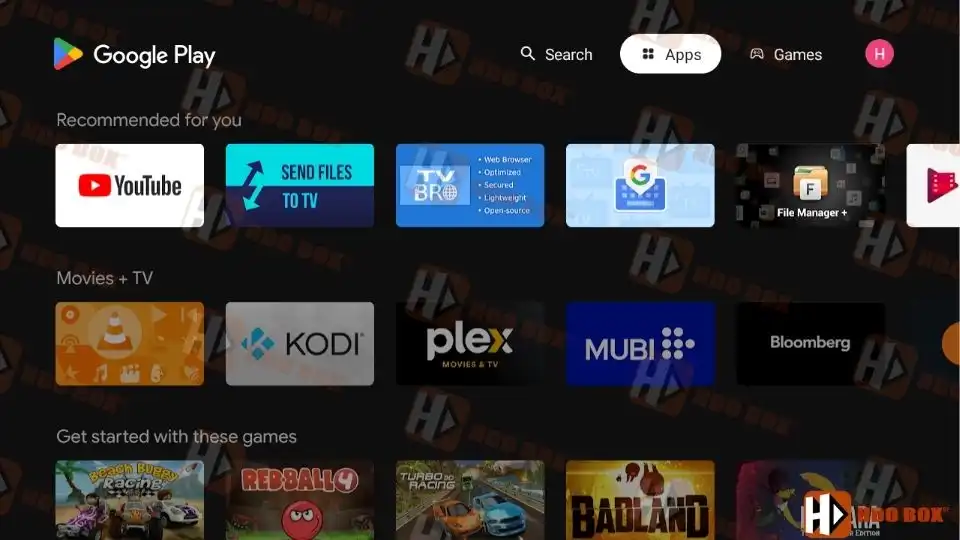
Step 2: Search for Downloader.
- Use the search function and type Downloader.
- Look for the app developed by AFTVnews.
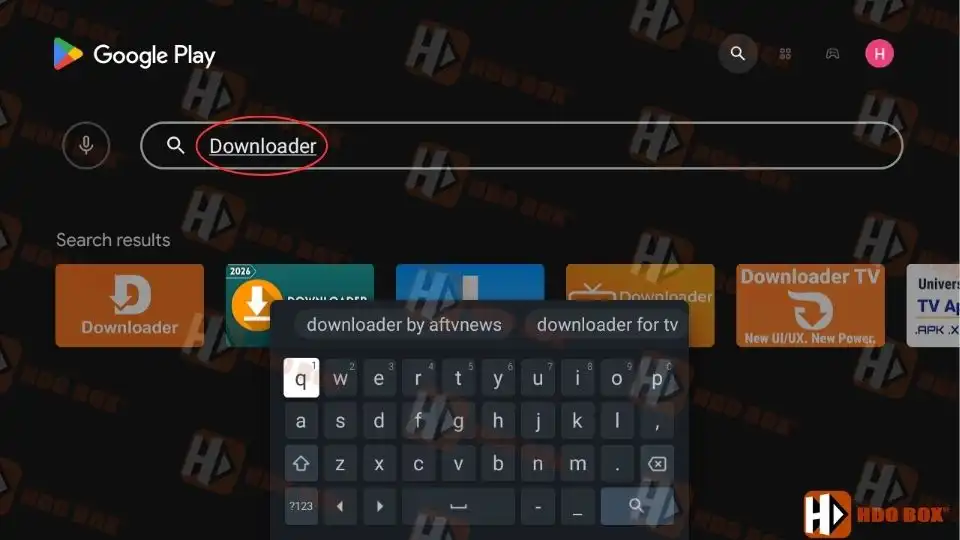
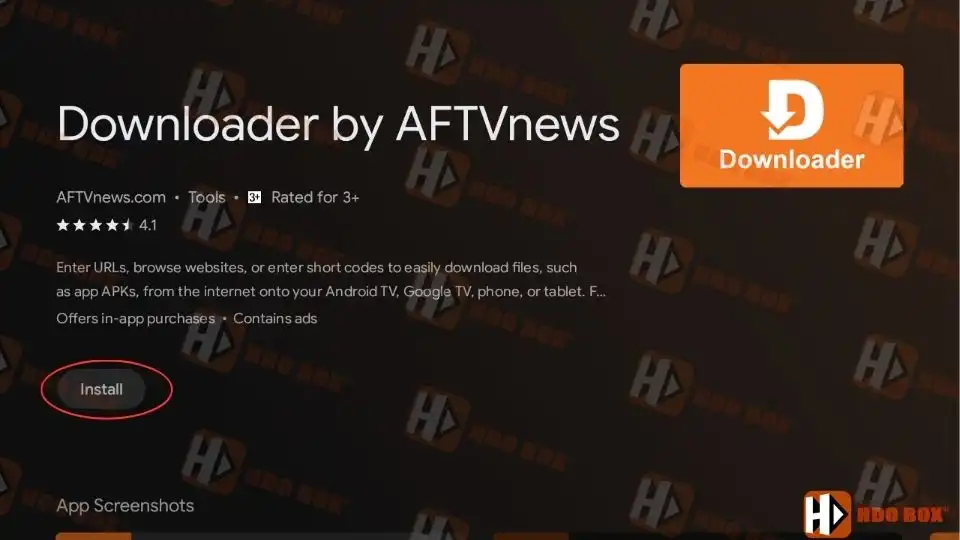
Step 3: Download and Install.
- Select the app and click Download or Get.
- Wait for the installation to complete.
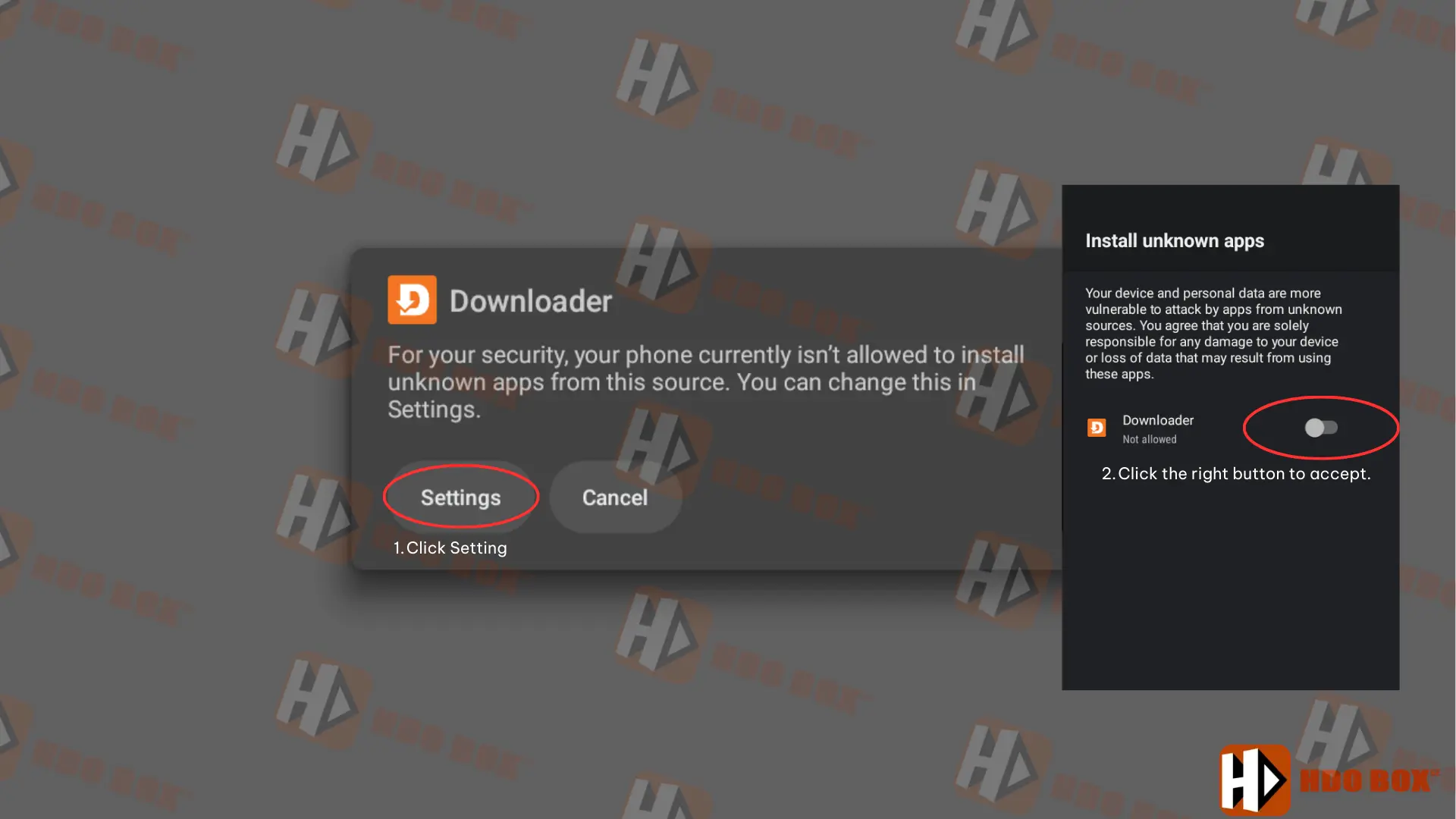
How to Enable Downloader for APK Installation.
Before using Downloader to install HDO Box, you must allow it to install apps.
On Fire TV:
- Go to Settings.
- Open Developer Options.
- Enable Install unknown apps.
- Select Downloader and turn it on.
On Android TV.
- Go to Settings.
- Open Security & Restrictions.
- Enable Install unknown apps for Downloader.
This step is required only once.
Why Downloader Is Needed for HDO Box?
HDO Box is not available on the Amazon Appstore or Google Play Store for TV devices. Because of this, you need Downloader to:
- Download the HDO Box APK file.
- Install the app manually (sideloading).
- Update HDO Box when a new version is released.
Without Downloader, installing HDO Box on Fire TV or Android TV would be much more difficult.
Supported Devices.
Downloader works on:
- Amazon Firestick and Fire TV.
- Android TV and Google TV.
- Android TV boxes.
- Android phones and tablets.
How to Use Downloader to Download Apps.
Once Downloader is installed, using it is very simple.
- Open the Downloader app.
- Enter a website address or downloader code.
- Click Go.
- Wait for the file to download.
- Select Install when prompted.
Downloader will automatically handle the installation process.
Final Notes.
Downloader is an essential app if you plan to install HDO Box or any other third-party streaming apps. Once installed, it becomes a powerful tool for downloading, installing, and updating apps on Fire TV and Android devices.
If you are setting up HDO Box for the first time, installing Downloader should always be your first step.