How to Install HDO Box on Android TV
There are several ways to set up an HDO Box for Android TV, allowing users to choose the method that best suits their configuration. Below is a summary of the most common setup methods currently available.
The device I used in this guide is Chromecast with Google TV 4K, the setup process is similar for other Android TV devices.
Method 1: Direct APK Installation
- This method is suitable if your Android TV has a built-in web browser.
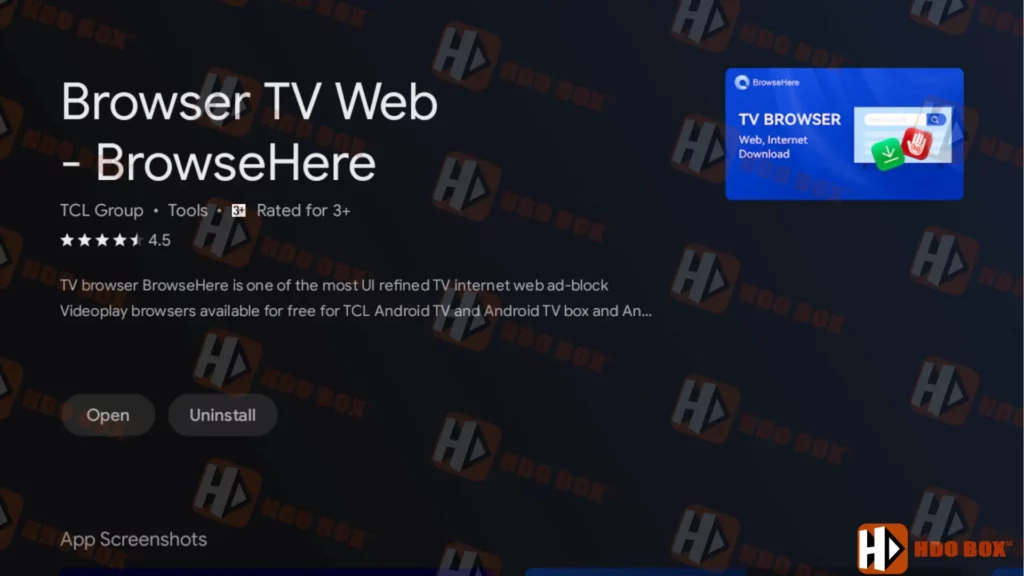
- If it doesn’t have a browser, go to the: Google Play Store > Search for and install the “Browse TV Web” app from TCL Group.
- In this guide, I will be using the third-party browser “Browse TV Web“.
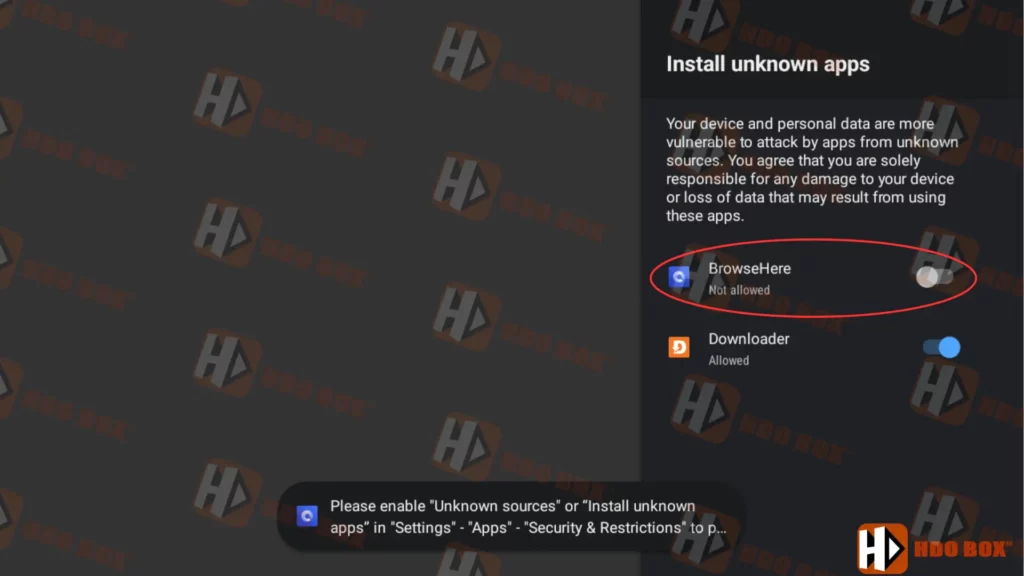
- First, open the system settings on your Android TV and enable installations from unknown sources under Security or Restrictions.
- On my device, it’s located at: Settings > Apps > Security & Restrictions > Unknown sources.
- Next, open your browser and enter the URL: www.hdoboxse.com/tv
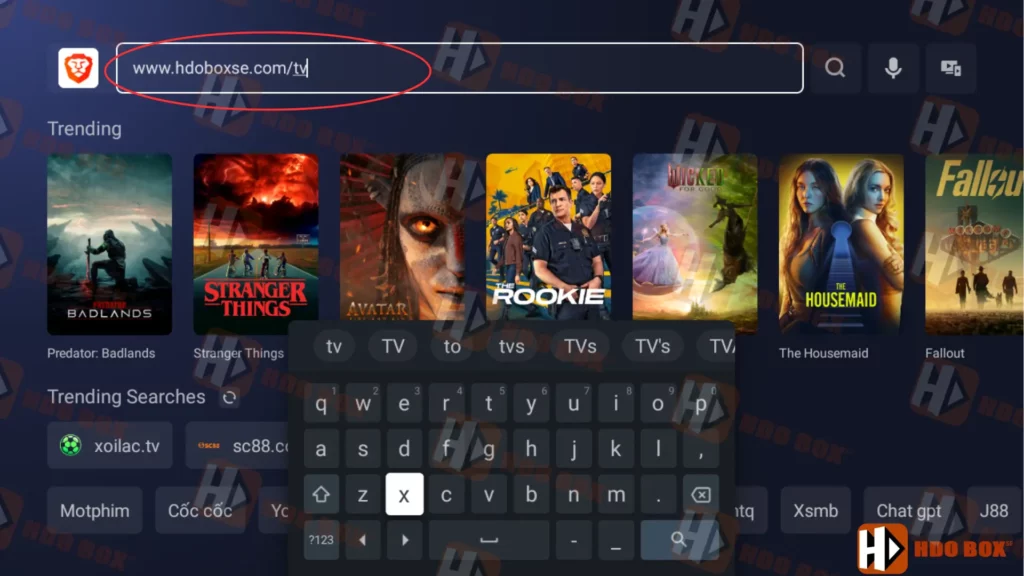
- Click “OK” and the HDO Box Android TV APK file will be successfully downloaded.
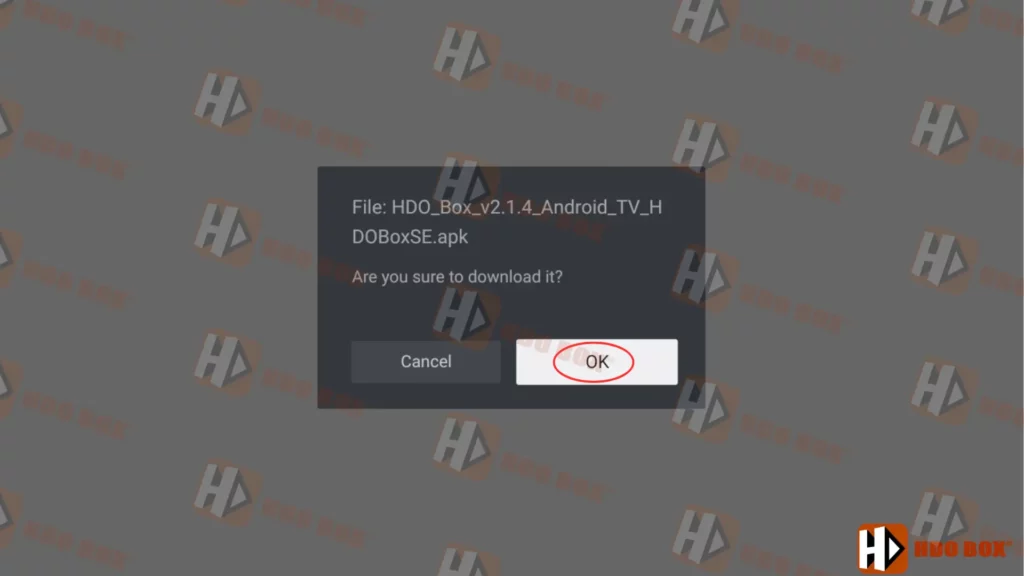
- After the download is complete, select “Open” to begin the installation process. If a message appears asking “Do you want to install this app?“, click “Install“.
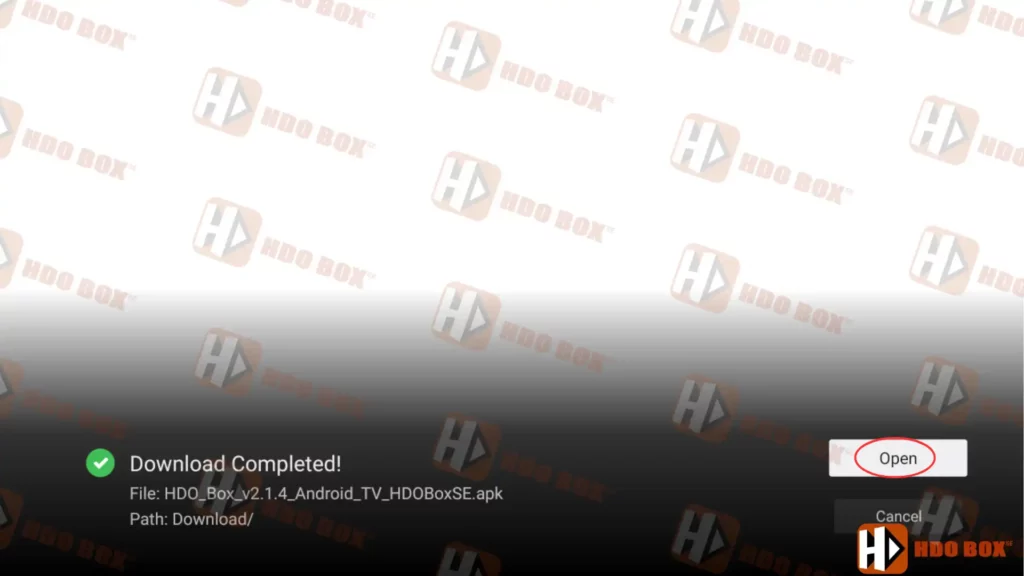
- After installation is complete, click “Open” to launch the application, or return to the home screen and launch the application there.
Method 2: Using the Downloader App
The Downloader app is one of the most popular tools for installing APKs on Android TV.
- Install the Downloader app from the Google Play Store on your Android TV.
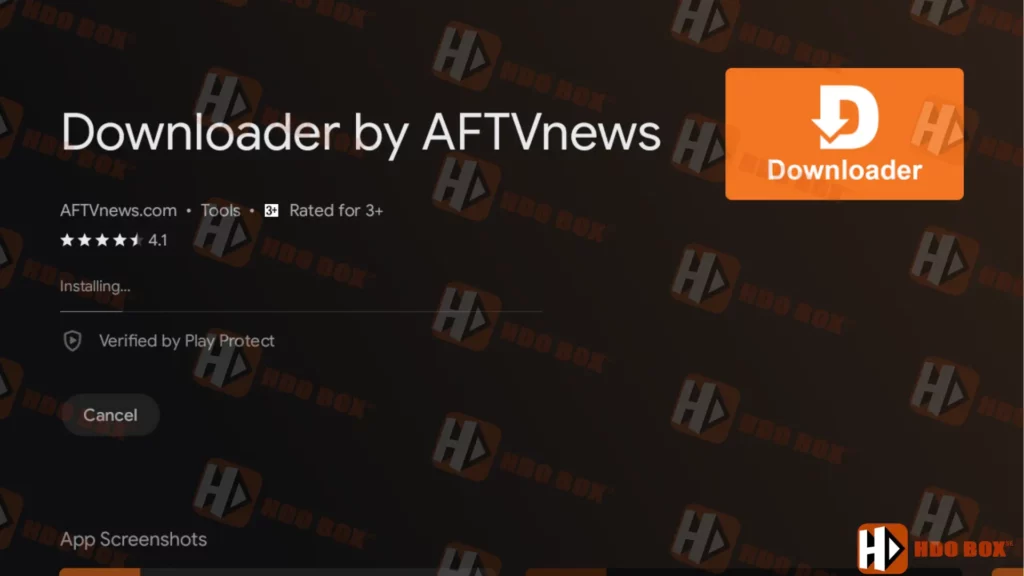
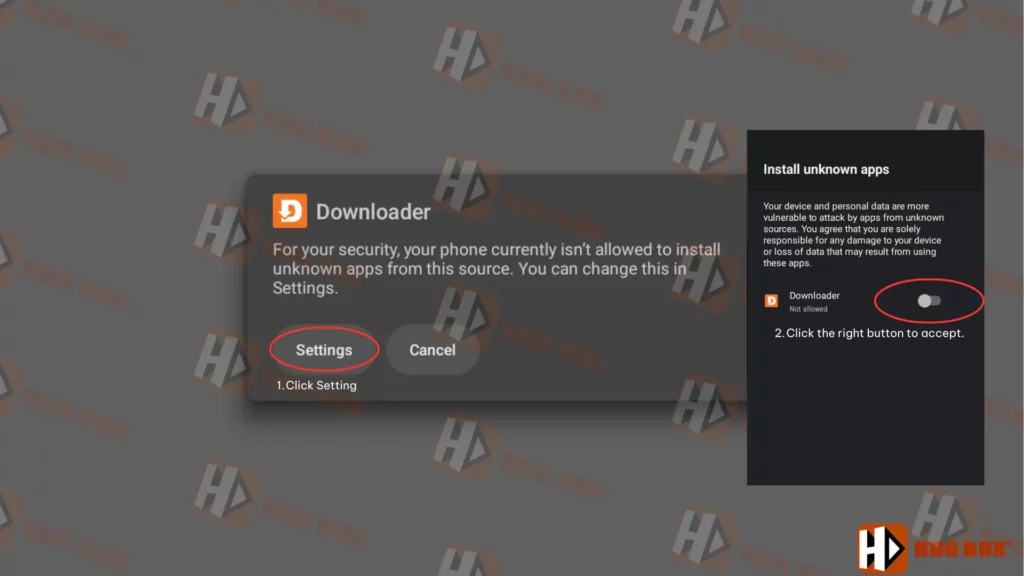
- Enable developer options and allow installations from unknown sources for Downloader.
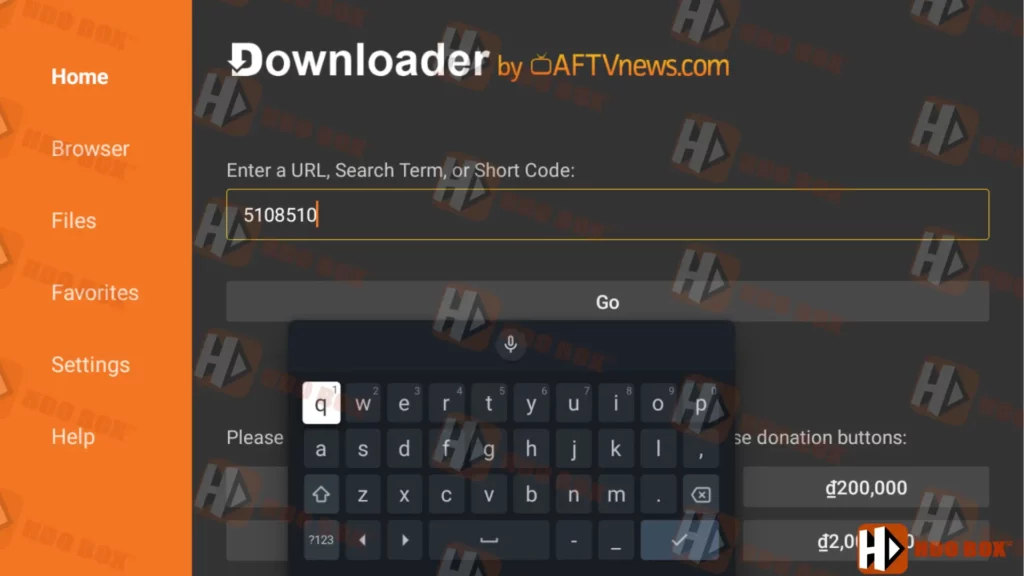
- Open Downloader and enter the HDO Box for Android TV code: 5108510
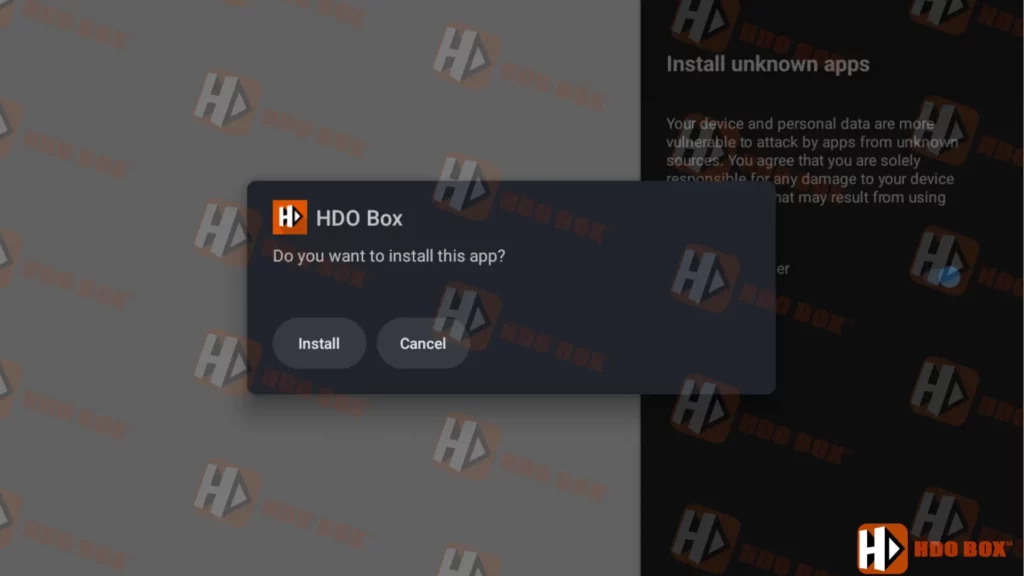
- Wait for the download to complete, then install the APK directly from Downloader.
This method is often preferred because it avoids typing long URLs and works smoothly on Android TV boxes.
Method 3: Install via USB Drive and File Manager
If downloading directly on the TV is inconvenient, you can install HDO Box using a USB drive. A computer is required to download the file and copy it to the USB.
- Go to www.HDOBoxSE.com and download the HDO Box APK file for Android TV to your computer and copy it to a USB drive.
- Insert the USB drive into your Android TV.
- Install a file manager such as File Commander from the Play Store.
- Open the USB storage, locate the APK file, and install it.
- Once finished, launch HDO Box from your apps menu.
Key Features of HDO Box on Android TV
HDO Box stands out among free movie apps for Android TV because of its balanced feature set:
- Large library of movies and TV shows updated regularly
- HD and 4K streaming options depending on source availability
- Smooth navigation designed for Android TV remotes
- Multi-language subtitle support
- Lightweight APK with stable performance
- No account registration required
Using Drama Player on Android TV
For the best playback experience, HDO Box works alongside Drama Player for Android TV.
This external player improves compatibility with different video formats and provides better subtitle control on large screens.
After installing HDO Box, install the recommended player, then set it as the default when prompted during playback.
Final Thoughts
HDO Box for Android TV is a reliable and user-friendly streaming solution for anyone looking to enjoy free movies and TV shows on a big screen. With multiple installation methods, smooth playback, and support for HD quality, it remains one of the best free movie apps for Android TV in 2026.
Whether you are using an Android TV box, Google TV, or a smart TV, HDO Box delivers a theater-like experience directly in your living room.